


When we look at industries and organizations, we notice people connect from laptops, phones, tablets, IoT devices and even unmanaged guest devices. With so many endpoints, the biggest challenge becomes simple:
How do you make sure only the right users and the right devices get access and only to what they’re supposed to?
That’s exactly where Quantum Access Manager (QAM) steps in.
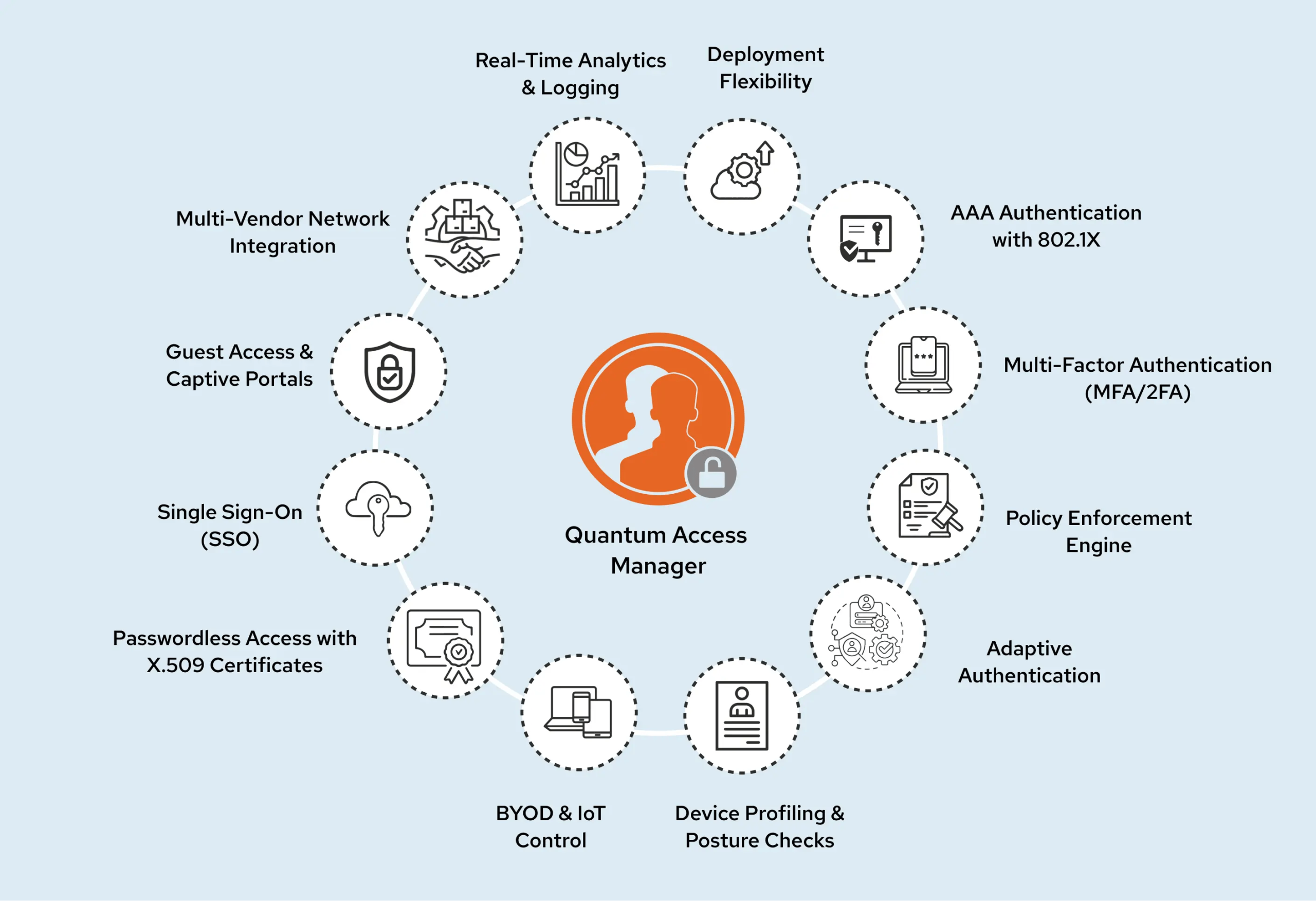
QAM is a unified access control platform designed by Quantum Networks to secure users, devices and applications across wired, wireless and VPN networks.
It brings authentication, device checks, policies, certificates, SSO and guest access into one simple, scalable system.
Why QAM is a Must
Most networks fail because of one gap:
“We don’t really know who and what is connecting.”
QAM fixes this by:
- Verifying every user and device
- Checking their security posture
- Applying the right access policy
- Tracking all activity for compliance
- Blocking risky or unknown devices instantly
All while keeping the experience smooth and user-friendly.
Key Features of QAM
1. AAA Authentication with 802.1X
QAM uses enterprise-grade AAA (Authentication, Authorization and Accounting) to secure access.
- Authentication: Verifies user identity
- Authorization: Decides what they can access
- Accounting: Logs every session for audit & visibility
It supports:
- 802.1X with PEAP, EAP-TLS, EAP-TTLS
- MAC Authentication Bypass (MAB)
- Web/VPN authentication (PAP/CHAP/MSCHAP)
QAM integrates with:
- Active Directory (AD)
- LDAP
- Azure Entra ID
- Google Workspace
- QAM Local Database
2. Multi-Factor Authentication (MFA/2FA)
Passwords are no longer enough.
QAM offers multiple MFA options:
- OTP over SMS
- OTP over Email
- Security Questions
- FIDO2 PIN/Biometric (Beta)
- Authenticator Apps (Google, Microsoft, Authy)
- Quantum Authenticator (Push, QR Login, Soft Token)
- Hardware token support (YubiKey)
This ensures only verified users get access, always.
3. Policy Enforcement Engine
Every organization has rules.
QAM turns those rules into automated access policies.
Admins can create:
- Role-based policies
- Device-based policies
- Time-based restrictions
- Posture-based access control
- Dynamic VLAN assignment
- ACL / dACL enforcement
It ensures every device gets the right access at the right time.
4. Adaptive Authentication
Context matters.
QAM can restrict access based on:
- Time of day
- Geolocation / IP range
- High-risk login patterns
- Number of simultaneous sessions
- Device risk or compliance level
This means the network becomes smarter and adapts automatically to risky scenarios.
5. Device Profiling & Posture Checks
Not all devices are safe, especially BYOD and IoT.
QAM continuously checks:
- Antivirus status
- OS version
- Firewall status
- Disk encryption
- Forbidden applications
- Device health score
Profiling methods:
- NMAP scanning
- SNMP for infrastructure devices
- MAC OUI for IoT classification
- QAM Posture Agent for deep posture data
Unhealthy or unknown devices get quarantined instantly.
6. BYOD & IoT Control
Users bring their own laptops and phones. IoT devices are everywhere.
QAM keeps everything in control:
- Self-service onboarding
- Certificate-based onboarding
- Device posture checks
- MAC-based IoT policies
- Automatic isolation of unknown devices
Perfect for campuses, enterprises, retail and manufacturing setups.
7. Passwordless Access with X.509 Certificates
Passwords can be stolen. Certificates cannot.
QAM supports:
- Automated certificate issuance
- Certificate-based Wi-Fi authentication
- Certificate renewal & revocation
- Integration with external CA or QAM’s built-in PKI
- Zero-touch onboarding for managed devices
This gives users fast, secure and frictionless access.
8. Single Sign-On (SSO)
One login for all apps.
QAM supports:
- SAML 2.0
- Azure
- Google Workspace
- Okta / Ping / Custom IdPs
Users enjoy one-click access, while admins maintain strong identity control.
9. Guest Access & Captive Portals
For visitors, partners, events and contractors.
QAM offers:
- Custom-branded portals
- OTP login
- Sponsor approvals
- Time-based access
- Usage reports
- Guest self-registration
Easy for guests, secure for the organization.
10. Multi-Vendor Network Integration
QAM works with any network, whether it’s wired, wireless or VPN.
Vendor-agnostic compatibility with:
- Switches
- Access points
- Firewalls
- NAC systems
- UEM tools
- VPN gateways
You don’t need to replace hardware; QAM fits perfectly into whatever you already use.
11. Real-Time Analytics & Logging
QAM gives full visibility through:
- Authentication logs
- Device posture reports
- Policy activity
- Failed login diagnostics
- Network access trends
Logs can also be forwarded to SIEM tools for compliance.
12. Deployment Flexibility
QAM adapts to any environment.
Deploy as:
- Cloud-managed service
- On-prem virtual appliance (VMware/Hyper-V/KVM)
- Dedicated hardware appliance (air-gapped ready)
All with:
- Automated backups
- Syslog export
- High availability options
Why Organizations Need QAM
- Strong authentication and certificate-based access
- Zero Trust enforcement
- Full visibility of devices and users
- Vendor-agnostic networking
- Smooth user experience
- Scales easily across branches and remote sites
- Lowers operational cost and reduces breach risk
QAM doesn’t just protect the network; it simplifies access for everyone while strengthening security at every layer.